Why Schools in Uganda Lose Fees Money, and How to Stop It
Fees in exercise books, forgotten balances, unapproved bursaries, overspending and payroll errors: how the School Financial Management System fixes the money problems of Ugandan schools.

Ask any school director in Uganda what keeps them awake at night, and the answer is rarely the teaching. It is the money: fees that are owed but never collected, a budget that runs dry by mid-term, and books that nobody can explain to the auditor.
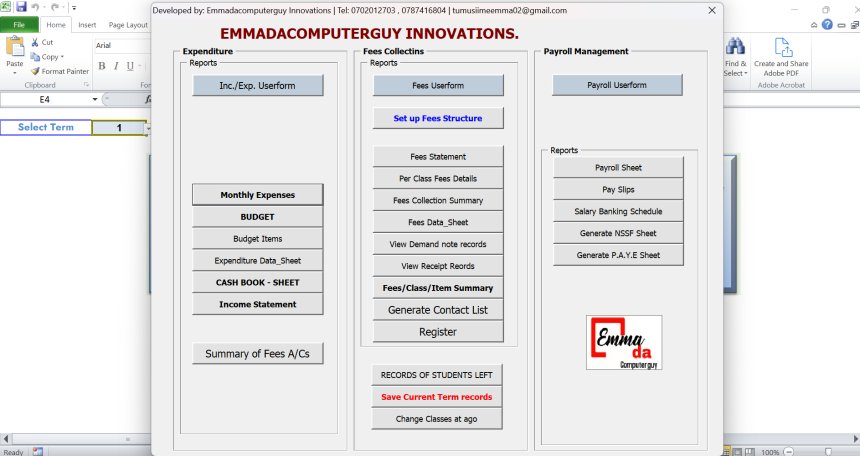
Most low-budget schools still run their finances on receipt books, exercise books and a few Excel sheets. It works until it does not. A receipt book goes missing, a parent says "I already paid", a discount is given without anyone's approval, or the school discovers in week ten that the repairs money has already been spent.
We built the School Financial Management System for exactly these schools. Here are the problems we see most often, and how the system fixes each one.
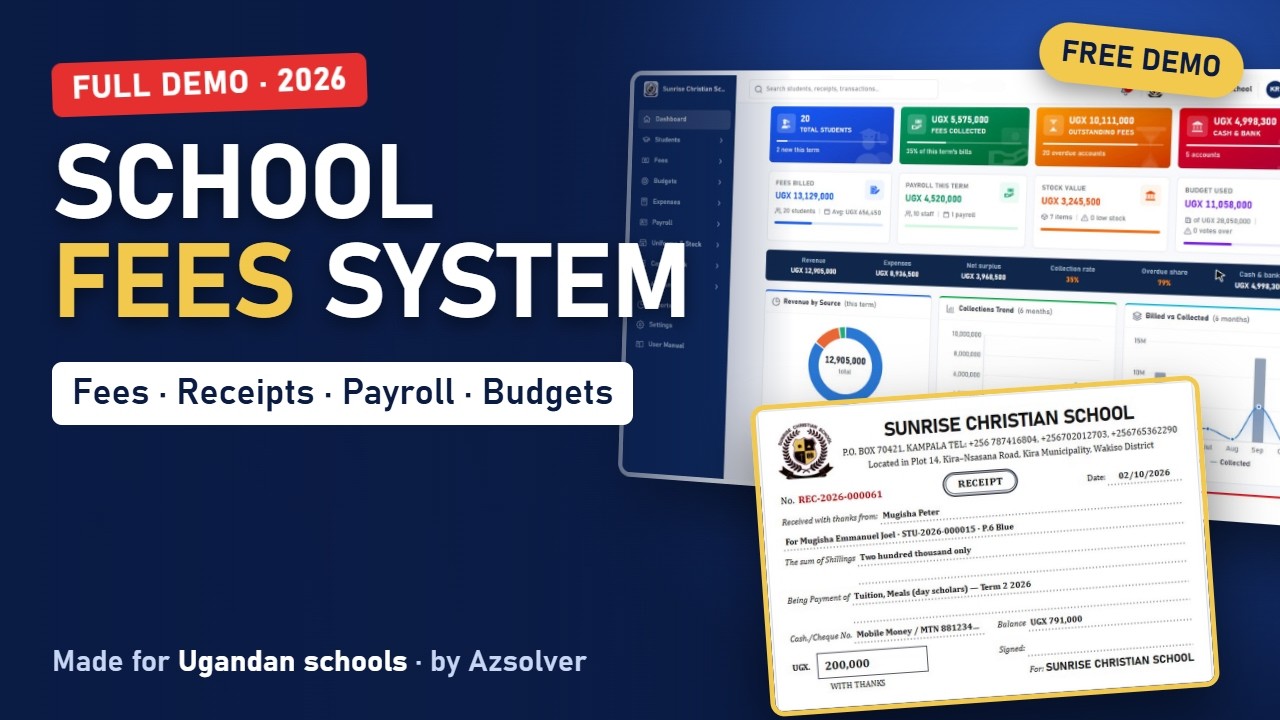
Full video link: Watch it here
1. "I already paid": fees in receipt books
The problem: Payments are written in receipt books and copied into a ledger later, sometimes days later. Mobile money payments arrive with no clear record of whose fees they were. When a parent disputes a balance, nobody can prove what was paid.
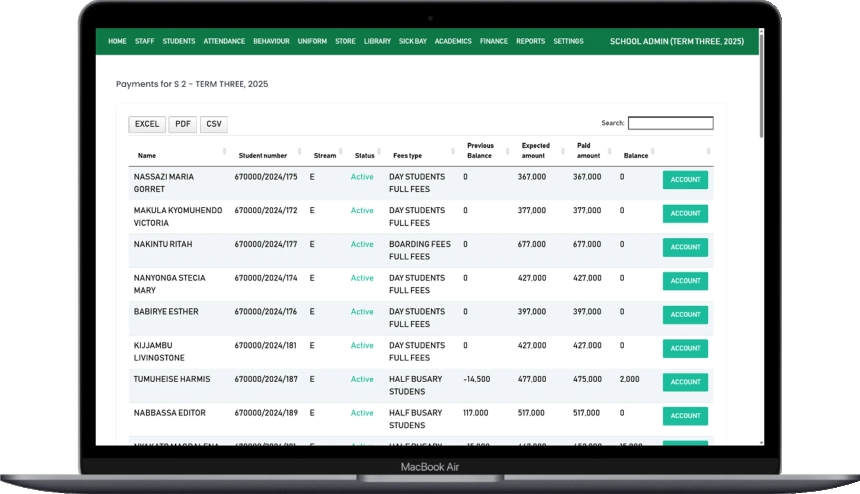
The fix: Every student has a fees account with one statement: every charge and every payment. The bursar records a payment in seconds, choosing cash, bank or mobile money, with the transaction number and the name of the person who paid. The system clears the oldest bills first and prints a receipt immediately, with the school's logo, the amount in words and the new balance. The student's balance updates on its own.
2. Students who were never billed
The problem: At the start of term, bills are prepared by hand. A new student is missed, a boarding fee is forgotten, and the shortfall is only noticed at the end of the year.
The fix: Set the fee structure once for each class and term, item by item: tuition, meals, boarding, development. With one click, the system bills every student according to their class, so nobody is forgotten. Extra charges, like a trip or a registration fee, go only to the students concerned. Class fee balances show, class by class, what was billed, paid and still owed.
3. Discounts nobody approved
The problem: Bursaries, sibling discounts and staff-child discounts are given verbally. By the end of term, nobody knows how much fees income was given away, or by whom.
The fix: The bursar enters the discount with a reason, but it only takes effect after the head teacher or the director approves it. Every discount is on record. The defaulters list shows every student who still owes, how much is overdue and for how long, with the parent's phone number, so you know exactly whom to call.
4. Uniforms sold on credit and forgotten
The problem: Uniforms and books are sold from a store with a separate notebook. A parent pays half, promises the rest "with fees", and it is never collected.
The fix: Uniform sales are recorded against the student. If the parent pays part now, the balance goes straight onto the student's fees account, to be paid with fees. Stock reduces automatically, and the termly stock report shows what you started with, what came in, what was sold and what is left.
5. The budget runs out by mid-term
The problem: The term's budget exists on paper, but spending is approved without checking it. By the time anyone looks, a budget line has been overspent.
The fix: Every budget line has a vote book: budgeted, committed, spent and available. When a requisition asks for more than a line has left, the system blocks the approval. To go ahead, the head teacher must approve a virement, moving money from another line. Overspending is stopped before it happens, not discovered after.
6. Payroll, NSSF and PAYE by hand
The problem: Salaries are worked out on a calculator every month, NSSF and PAYE are easily wrong, and salary advances are hard to keep track of.
The fix: Each employee has their basic salary, allowances and deductions. The system calculates the whole payroll at once, including NSSF and PAYE, and shows gross and net pay. Approved salaries post to the accounts automatically, all payslips print with one click, and salary advances are recovered from the next salary.
7. Books the auditor cannot follow
The problem: At the end of the year, the accountant spends weeks rebuilding the books from receipts and bank statements.
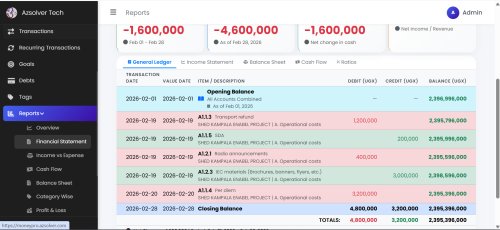
The fix: Every transaction is posted as a proper journal entry, so the books always balance. The cashbook shows every shilling in and out for cash, mobile money and each bank account, and bank reconciliation helps you match your statement. The income statement, balance sheet, fee arrears, collections and budget-versus-actual reports are always ready to print or export to Excel and PDF.
Fees, uniforms, budgets, payroll, banking and reports- all in one simple place, at a price a small school can afford.
Is your money safe?
Every user has their own account and role, so a bursar cannot do what only the head teacher should. The audit log records every important action, who did it and when, and it cannot be changed or deleted. Backups run every day, or with one click, and the user manual is built into the system.
Who is it for?
- School owners and directors who want to see the school's position at any time.
- Head teachers who approve discounts, requisitions and budgets.
- Bursars and accountants who want fast receipts and clean books for the auditor.
- Nursery, primary and secondary schools, day and boarding, especially low-budget schools.
Frequently asked questions
Do we need an accountant to use it?
No. The bursar records payments, sales and expenses as usual, and the system writes the accounts.
Can parents' mobile money payments be recorded?
Yes. Each payment records the method, the transaction number and who paid.
Can we bring in last term's balances?
Yes. Balances are brought forward, so each student's account starts from what they owe today.
Book a free demonstration for your school
We will show you the system working with your own classes and fee structure.
📞 Call or WhatsApp: 0787 416 804 · 0702 012 703
🌐 azsolver.com
▶️ More videos: youtube.com/@Emmadacomputerguy
Built by Azsolver Technologies, Kampala, Uganda.
Share
What's Your Reaction?
 Like
0
Like
0
 Dislike
0
Dislike
0
 Love
0
Love
0
 Funny
0
Funny
0
 Angry
0
Angry
0
 Sad
0
Sad
0
 Wow
0
Wow
0