How to Activate Windows 10 & 11 Permanently (2026 Working Methods)
Struggling with Windows activation errors, expired licenses, or annoying “Activate Windows” watermarks? In this step-by-step video tutorial, I walk you through multiple proven methods to activate Windows 10 and Windows 11 permanently – all working in 2026 and safe to use. Whether you’re a student, business owner, or home user in Uganda (or anywhere else), this guide will help you legitimately activate your Windows operating system without spending money on expensive licenses.

Windows 10 and Windows 11 users: Tired of seeing “Activate Windows” watermarks, locked personalisation features, or constant reminders to buy a license? You’re not alone. Millions of users face activation issues every year—whether after a hardware change, a clean install, or an expired trial.
This complete 2026 guide will walk you through multiple safe, working methods to activate Windows 10 and Windows 11 permanently, without spending hundreds of dollars on a retail license. Whether you’re a student, a small business owner in Uganda, or a home user, these step-by-step instructions can help you unlock your OS fully and legally.

Why Activate Windows Permanently?
Before we dive into the how, let’s clarify why activation matters:
-
✅ Remove the “Activate Windows” watermark from your desktop
-
✅ Unlock personalisation features (themes, colours, lock screen)
-
✅ Access all Windows Update features and security patches
-
✅ Eliminate annoying activation reminders and pop-ups
-
✅ Use Windows professionally without limitations
Activation Methods #
Method 1: PowerShell (Recommended)
This method is the most convenient and works on Windows 8.1, 10, and 11.
- Click the Start Menu, type
PowerShell, and open it. - Copy and paste the code below and press Enter.
irm https://get.activated.win | iex
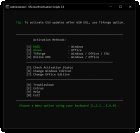
Features
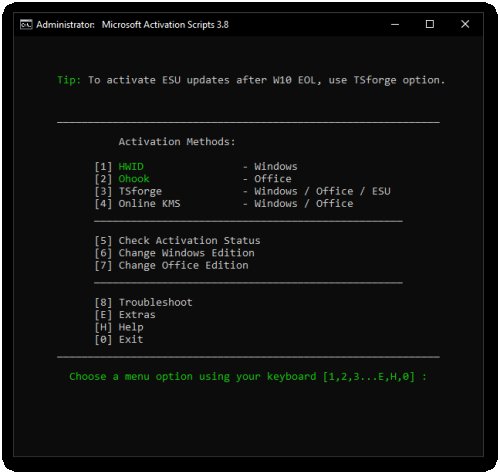
- HWID (Digital License): Permanently activate Windows.
- Ohook: Permanently activate Office.
- TSforge: Permanently activate Windows, ESU, and Office.
- Online KMS: Activate Windows/Office for 180 days (Lifetime with renewal task).
- Advanced activation troubleshooting.
- $OEM$ folders for pre-activation.
- Change Windows edition.
- Change Office edition.
- Check Windows/Office activation status.
- Available in All-In-One and separate file versions.
- Fully open source and based on batch scripts.
- Fewer antivirus detections.
📢 Share this guide with friends, family, or colleagues struggling with Windows activation. Bookmark this page for future reference when you reinstall Windows or upgrade hardware.
Disclaimer: This guide is for educational purposes. Microsoft Windows is proprietary software. We encourage supporting developers and purchasing genuine software when possible. This information is provided “as is” without warranty of any kind.
About the author: This guide was written by Emmadacomputerguy, a Ugandan software developer and tech educator helping users across East Africa solve common computer problems affordably. Visit azsolver.com for more software solutions and tutorials.
Share
What's Your Reaction?
 Like
0
Like
0
 Dislike
0
Dislike
0
 Love
0
Love
0
 Funny
0
Funny
0
 Angry
0
Angry
0
 Sad
0
Sad
0
 Wow
0
Wow
0